
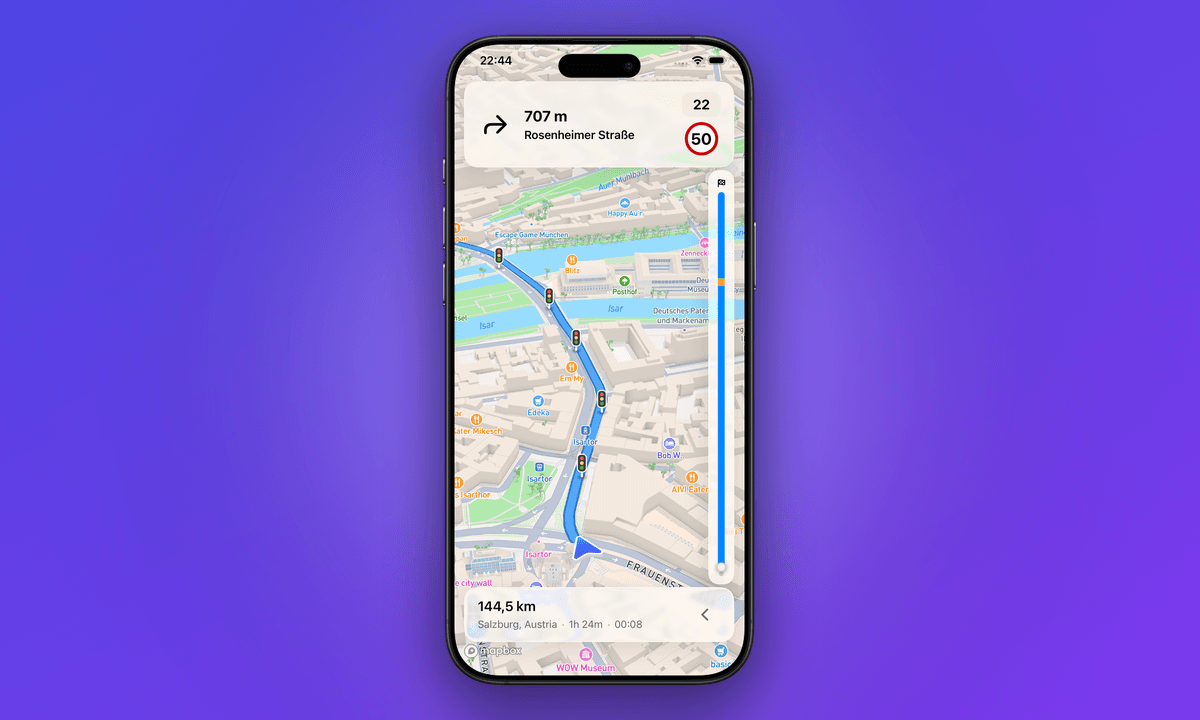
Fernweh has always been about the trip: stops in order, a computed drive time on every leg, an arrival time that shifts the moment you move a stop. Up to now, the driving itself lived somewhere else — you planned in Fernweh, then handed the route off to another app to actually get there.
That handoff is gone. Fernweh now navigates the whole trip, end to end, from the plan you already built. Here is the full story of what that means, and why it is more than "navigation exists now."
When the map doesn't know how big you are
Most navigation apps assume you are driving a car. That assumption is invisible right up until the moment it routes your 3.2-metre-tall motorhome under a 3-metre bridge, or sends a fully loaded van down a lane that narrows to a farm track with nowhere to turn around. Consumer maps take no vehicle height, weight, length or width as input at all — Google Maps has no RV or truck mode, and neither does Apple Maps. For a camper, a van conversion or a motorhome, the "fastest route" is regularly the wrong route: a route the vehicle physically cannot take.
Campers and van-lifers have worked around this for years by stitching together a truck-GPS app for the driving and a separate planner for the trip. It works, barely, and it means the plan and the drive never quite agree with each other. Fernweh's navigation starts from the opposite premise — that the app should know what you are driving before it tells you where to go.
Dimension-aware routing
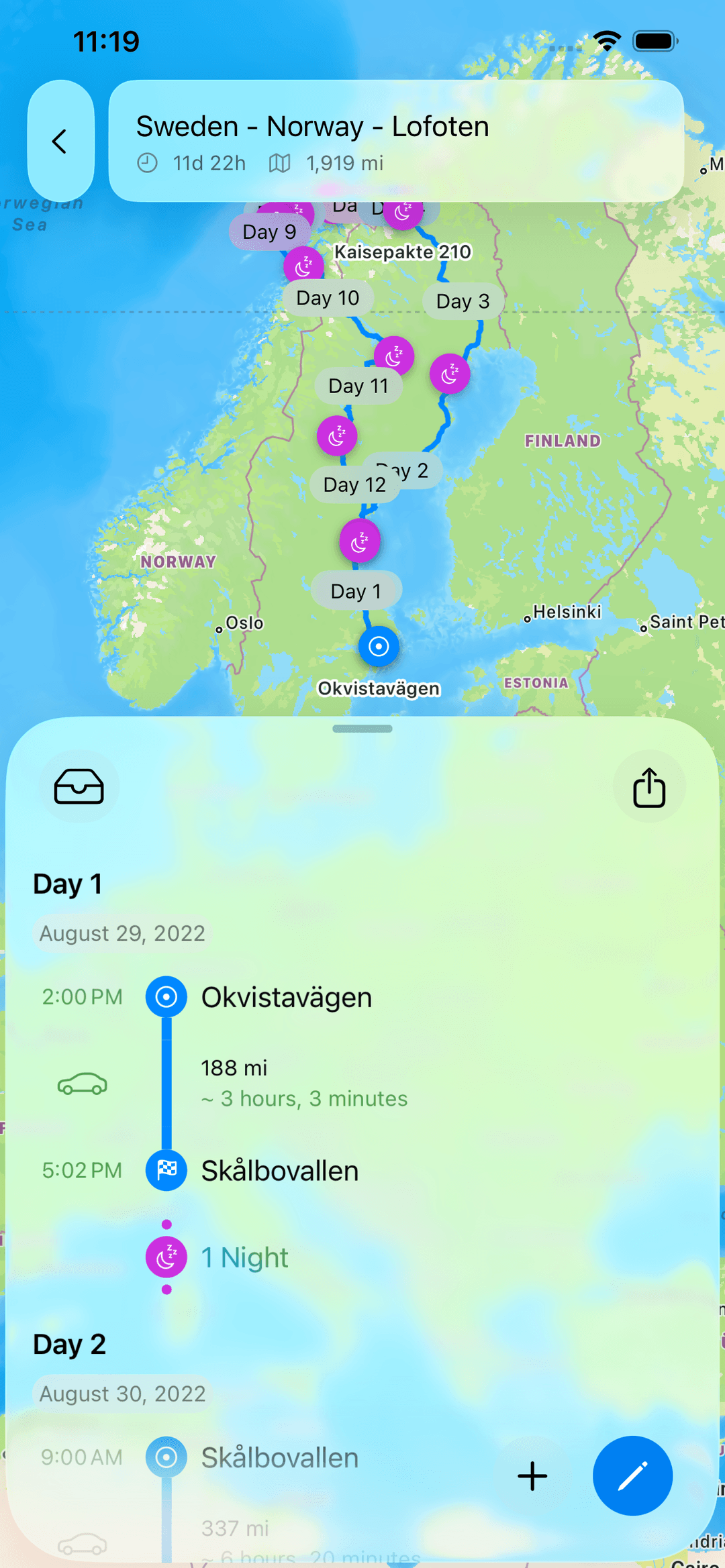

Tell Fernweh your vehicle's height, weight, length and width once, and every route it draws respects them. Low bridges, weight-limited roads, tight turns and unsuitable lanes are avoided before they ever become a problem on the windscreen. The route you see is a route your actual vehicle can drive — not a generic car line you have to second-guess.
This is the piece the big consumer maps simply do not have, and it is the reason dimension-aware routing leads Fernweh's navigation story rather than sitting in a footnote. When you are three metres tall and seven metres long, "avoid this bridge" is not a nice-to-have; it is the whole point of turning on navigation in the first place.
EV charging along the route
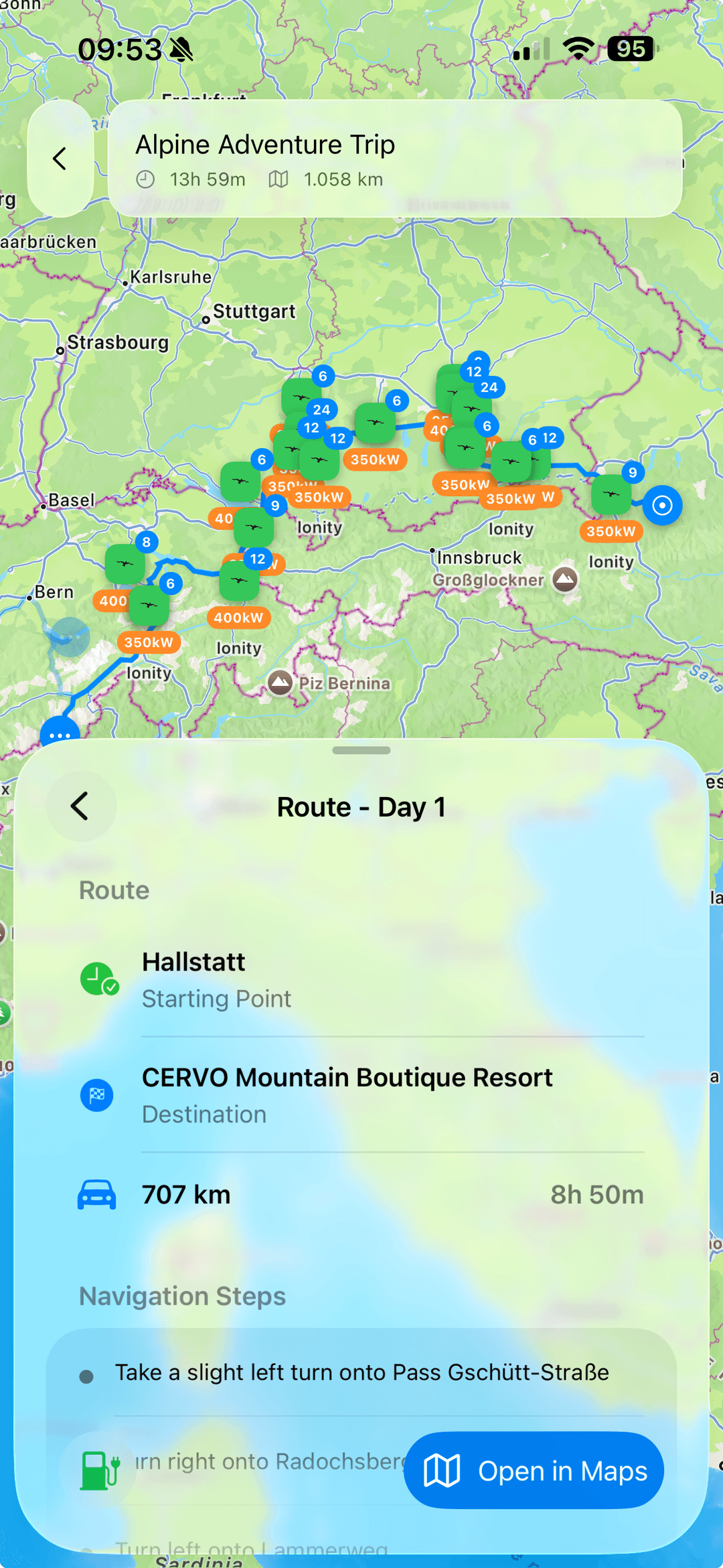
If you are travelling on electrons, the route has to know where you will plug in. Fernweh searches for chargers along your planned route — not just near your destination — and filters them by the networks you actually use and a minimum power rating, so a 7 kW post does not masquerade as a fast-charging stop. Chargers surface next to the stops you already have, and add to the trip with a single tap, so charging becomes part of the plan instead of a mid-drive scramble.
Because the charging search runs against the planned route, the stops you add flow straight into the navigation. There is no separate "now find charging" step once you are driving — it is already in the trip.
Navigate the whole trip, leg by leg
A road trip is not one drive; it is a sequence of them. A week in the Alps might be six or seven legs across as many days, each with its own stops, its own charging, its own arrival time. Fernweh navigates the trip the way you planned it — leg by leg. You drive today's leg turn-by-turn, arrive, and the next leg is waiting when you are ready for it. Nothing gets re-entered, nothing gets retyped: the planned trip is the route.
That continuity is the quiet superpower here. The trip object you have been editing — reordering stops, watching arrival times recompute — is the exact thing that now guides you down the road. Plan it, then drive it, without the two ever drifting apart.
Turn-by-turn on CarPlay
Navigation belongs on the car's screen, not balanced on the dashboard. Fernweh's turn-by-turn guidance runs on CarPlay, with the big, glanceable directions you want at 100 km/h and your hands where they should be. The same dimension-aware, charging-aware route you planned shows up on the built-in display, voiced and lane-guided.
You can see the whole Navigation & CarPlay walkthrough on our homepage, and the common questions — what vehicles it fits, how the handoff works — are answered in the navigation FAQ.
What no one else puts together
Plenty of apps do one or two of these things well. The point of Fernweh's navigation is not that any single capability is unique in isolation — it is that no other tool combines all four for a camper or EV road-tripper in one trip. Here is how the landscape actually looks, checked against each vendor's own documentation in July 2026:
| Capability | Google / Apple Maps | ABRP | Roadtrippers | Wanderlog | Fernweh |
|---|---|---|---|---|---|
| Dimension-aware routing (height / weight / length) | ✗ | ✗ | ~ (Premium, US-only) | ✗ | ✓ |
| EV charging along the route | ~ (select vehicles/regions) | ✓ | ✓ | ✗ | ✓ |
| Plan then navigate a multi-leg trip | ~ (single multi-stop route) | ~ (single EV drive) | ✓ | ✗ (plans only) | ✓ |
| Turn-by-turn with CarPlay | ✓ | ~ (Premium) | ✓ | ✗ | ✓ |
✓ = full · ~ = partial or gated · ✗ = absent.
A few honest notes behind the cells, because the nuance matters more than a tidy row of ticks:
- Google Maps and Apple Maps are excellent turn-by-turn navigators with CarPlay, and both do EV routing for supported vehicles — but neither takes a vehicle's dimensions, so neither can keep a tall or heavy camper off an unsuitable road.
- ABRP is the deepest EV router on the list and models consumption right down to a roof box or a towed trailer — but that is energy modelling, not dimension routing; it will not route you around a low bridge, and CarPlay is Premium-only.
- Roadtrippers comes closest: it has RV-safe routing, an EV charger trip planner, and CarPlay. The catch for a European traveller is that its RV-safe routing is a Premium feature available only within the United States — exactly the dimension-aware piece a camper in the Alps or the Highlands cannot use.
- Wanderlog is a strong collaborative itinerary planner, but it hands the driving off entirely — no in-app turn-by-turn, no CarPlay, no EV routing.
Fernweh is the only row that is a full tick across all four — dimension-aware routing, EV charging along the route, a multi-leg trip you plan then navigate, and turn-by-turn with CarPlay — for the campers, vans and EVs it is built for.
Navigation, Pro, and the new navigation tier
A quick, soft note on cost, because we would rather you hear it from us than wonder. Navigation is included with Road Trip Pro, so if you already have Pro you already have it. For drivers who navigate constantly, there is a dedicated navigation tier with a larger monthly allowance. That is the whole pitch — nothing to decode, no countdown, no upsell mid-drive. Pick the one that matches how much you drive and get back to the trip.
Plan your next trip with Fernweh
The best part is that none of this changes how you plan. You build the trip the way you always have — stops, order, timing, charging — and now, when it is time to go, the same trip drives you there. Dimension-aware, charging-aware, leg by leg, on your car's screen.
If you are weighing your options, our rundown of the best EV road-trip planners for 2026 puts Fernweh next to the rest, capability by capability. And when you are ready to drive the plan instead of just admiring it, Fernweh is on the App Store.
Competitor facts verified on 2026-07-24 against each vendor's own website and support documentation; see the frontmatter sources: for direct links. Spot a claim that has drifted? Let us know.